Source: https://skro.eu/docs/integrations/newsbreak-and-skro
NewsBreak is a local news aggregation platform founded in 2015. It provides a mobile app and website to deliver geographically specific news to users across the United States.
NewsBreak integration gives you the ability to manage and optimize all your ad campaigns through the Skro interface.
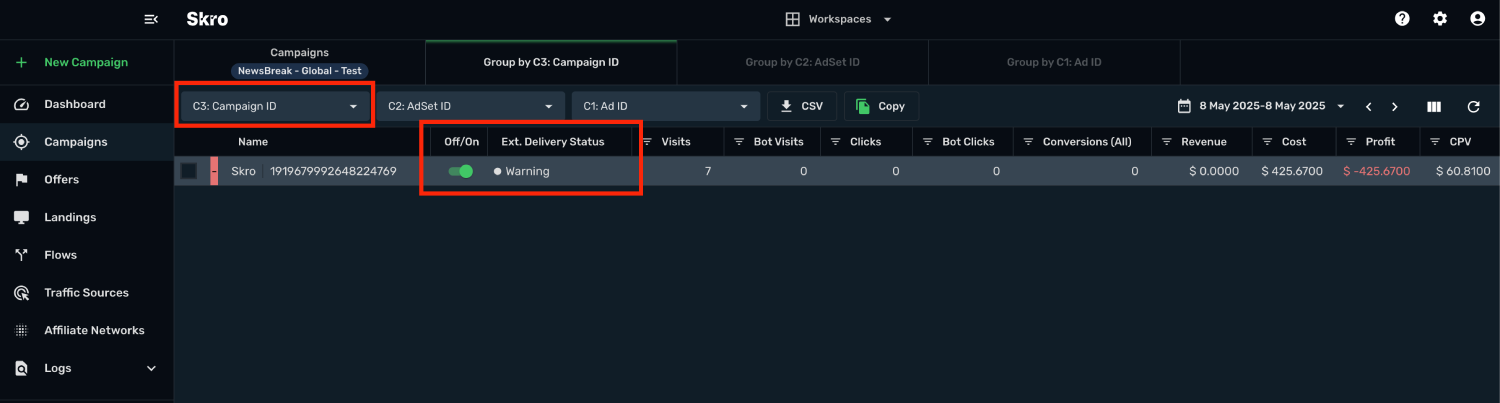
- Sync cost on ad level every 30 min.
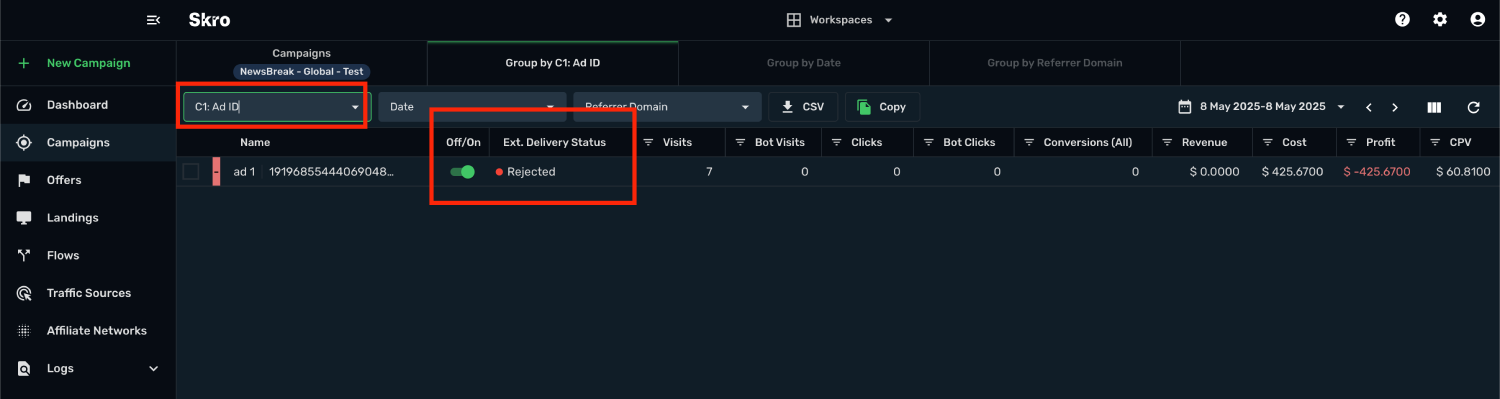
- Check delivery status of campaigns, ad sets and ads.
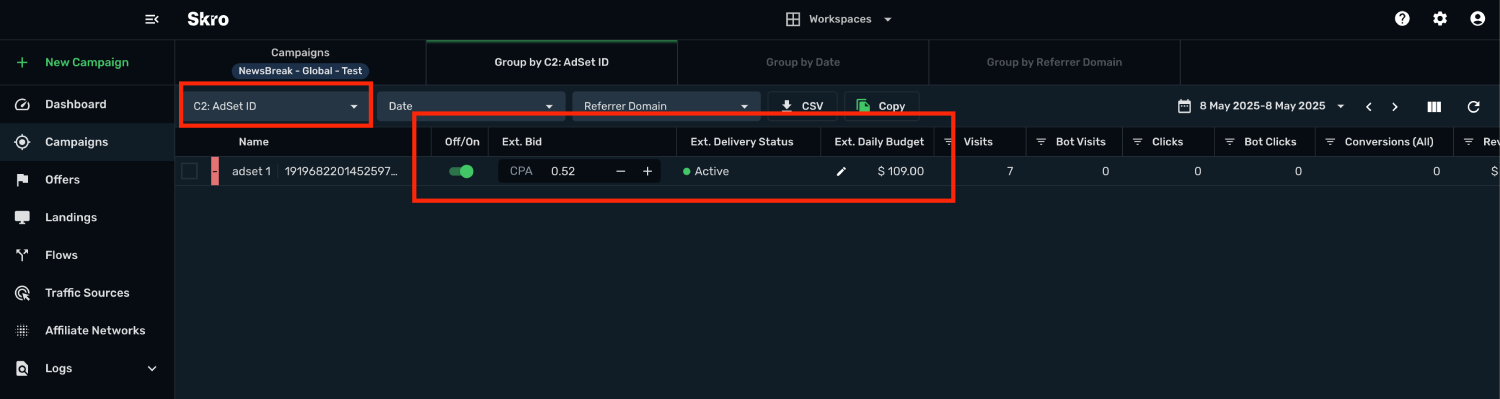
- Pause or resume campaigns, ad sets and ads.
- Change daily budget and CPA bid value for ad sets.
- Check the status of your campaigns, ad sets and ads.
In this guide, you will learn how to set up your campaigns in NewsBreak and Skro so NewsBreak can pass information to Skro and back with a selected tracking method. This guide does not cover all aspects and options available when creating a campaign on these two platforms. Basic knowledge regarding setting up campaigns in NewsBreak and Skro is required.
Manage NewsBreak campaigns through the Skro UI
Manage NewsBreak ad sets through the Skro UI
Manage NewsBreak ads through the Skro UI
Step 1. Get NewsBreak API Key
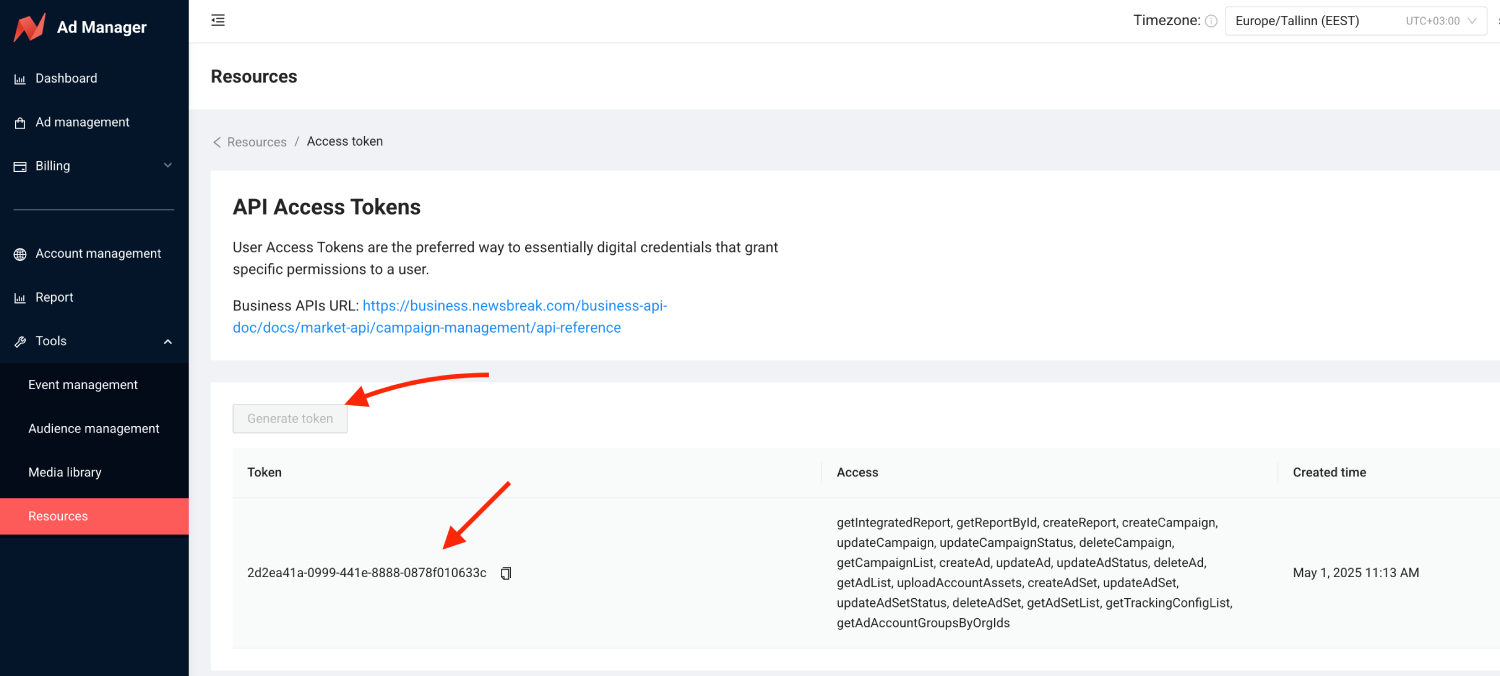
NewsBreak API Key. You can get one by following the steps below:
1. Go to Tools -> Resources -> API Access tokens
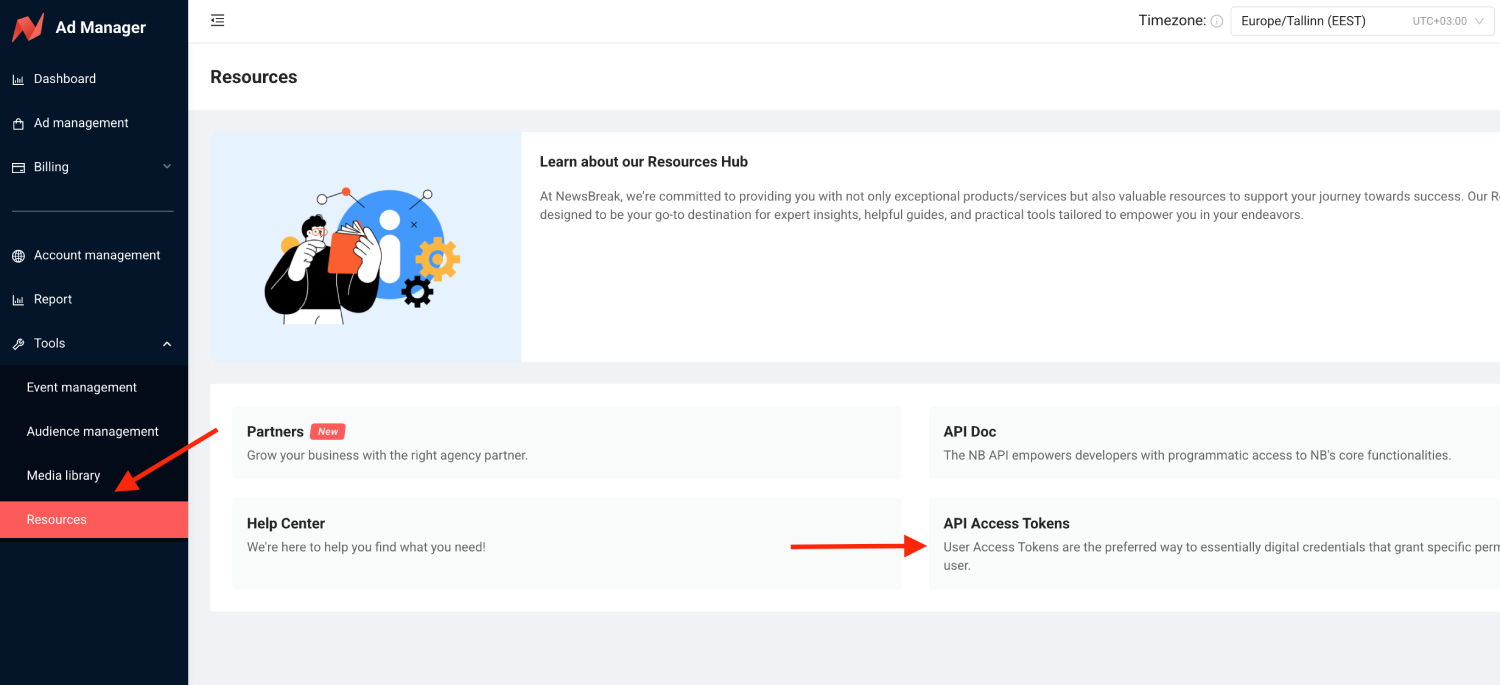
3. Click on Generate token and copy token.
5. Once you have everything ready, read the further part of this guide.
Step 2. Add integration
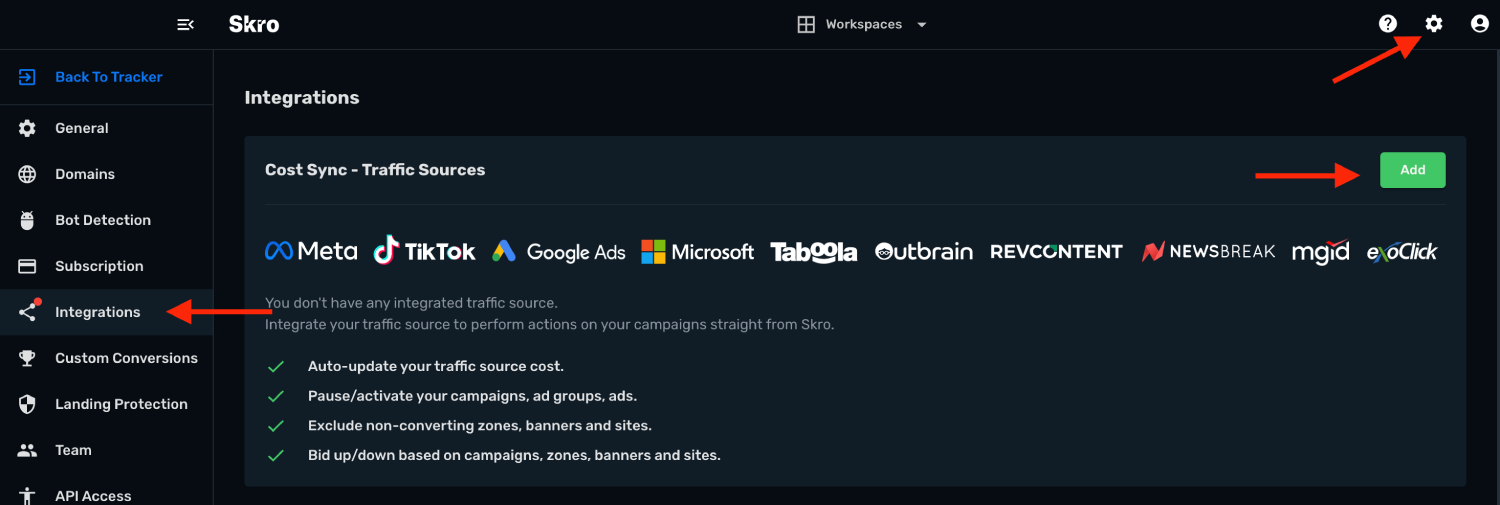
1. Log in to your Skro account.
2. Navigate to Settings -> Integrations.
3. In the Traffic Sources section click on the Add button.
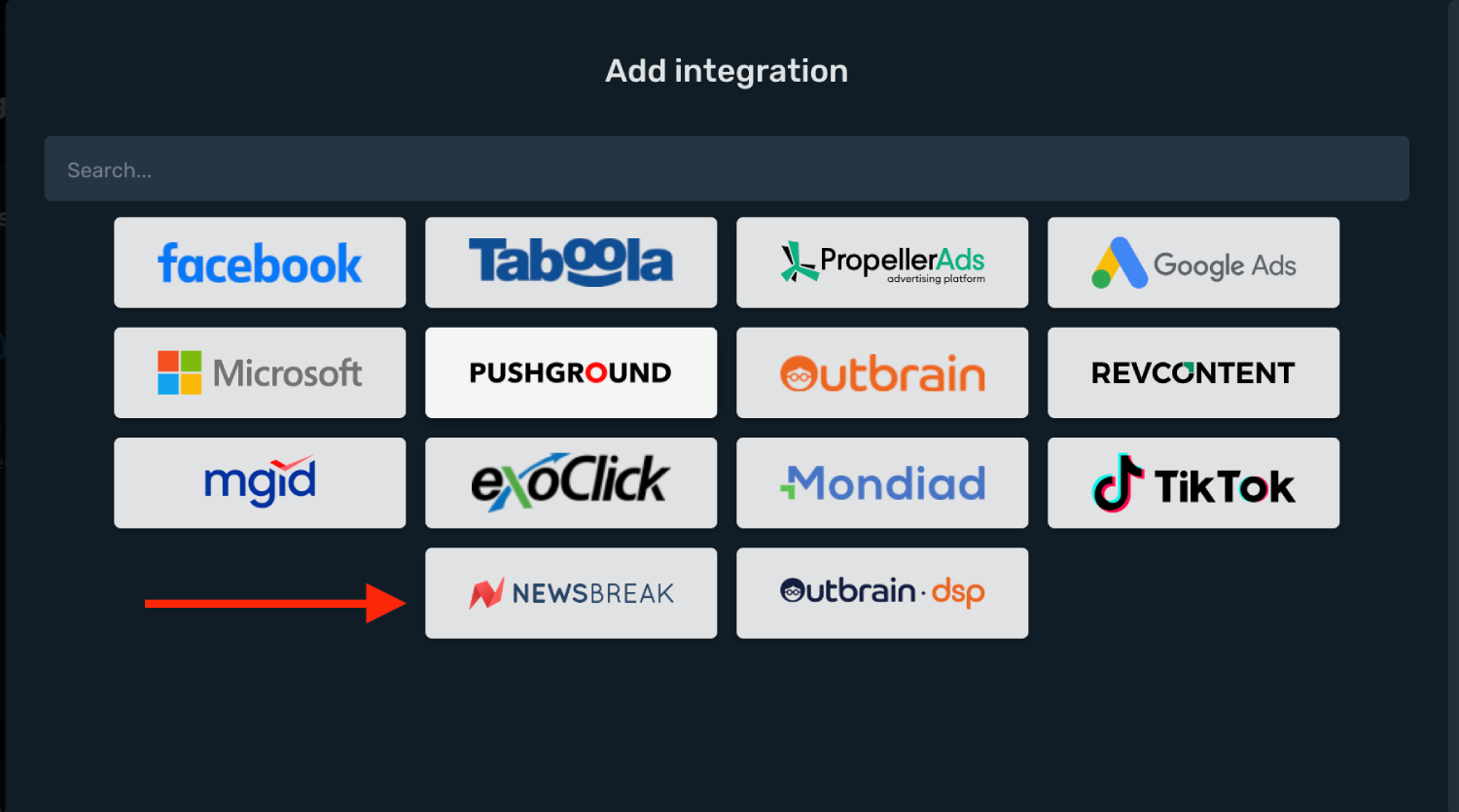
4. Click on NewsBreak logo and integration form will pop up.
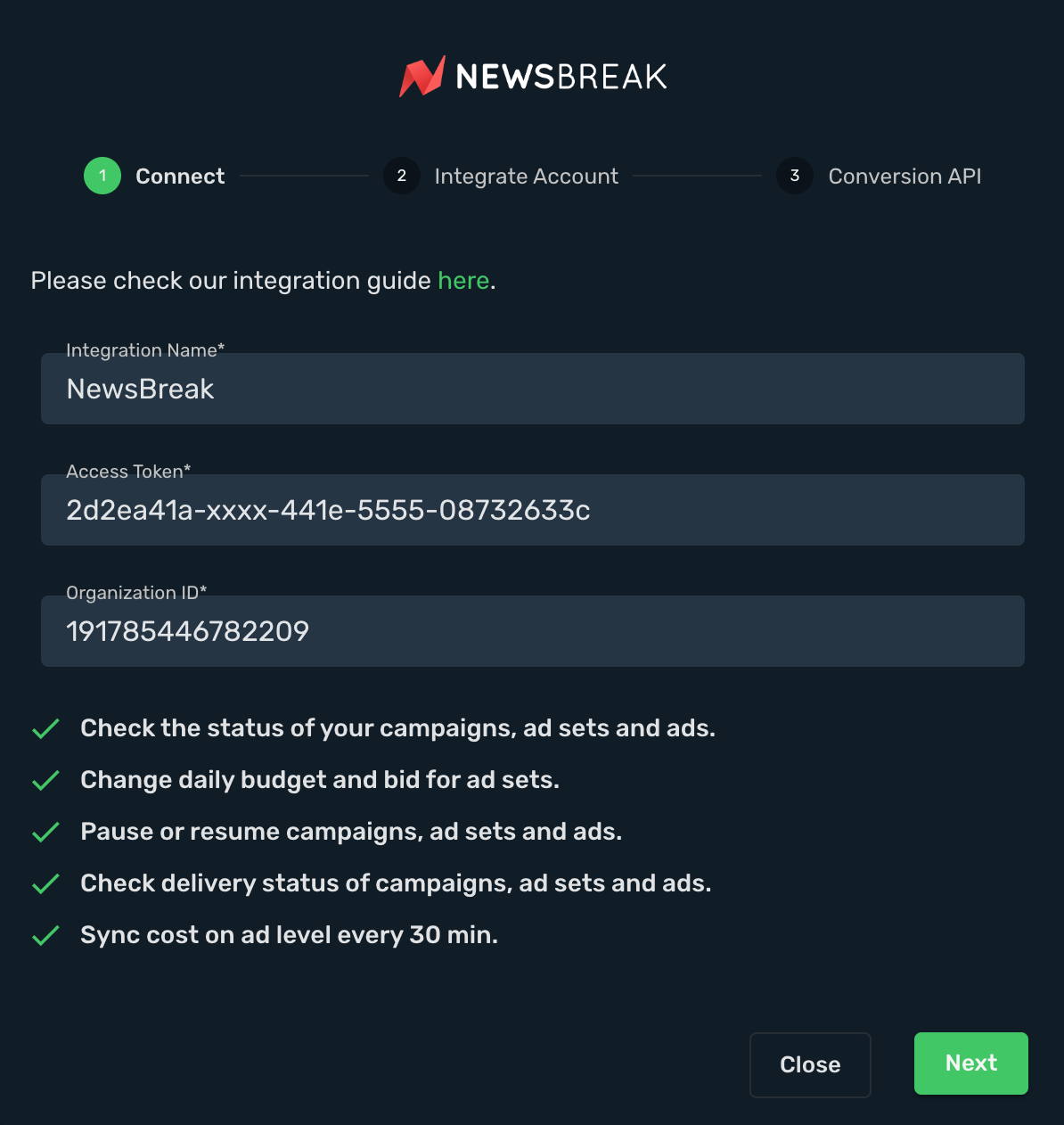
5. Enter your Integration Name.
6. Enter your NewsBreak Access Token and Organization ID.
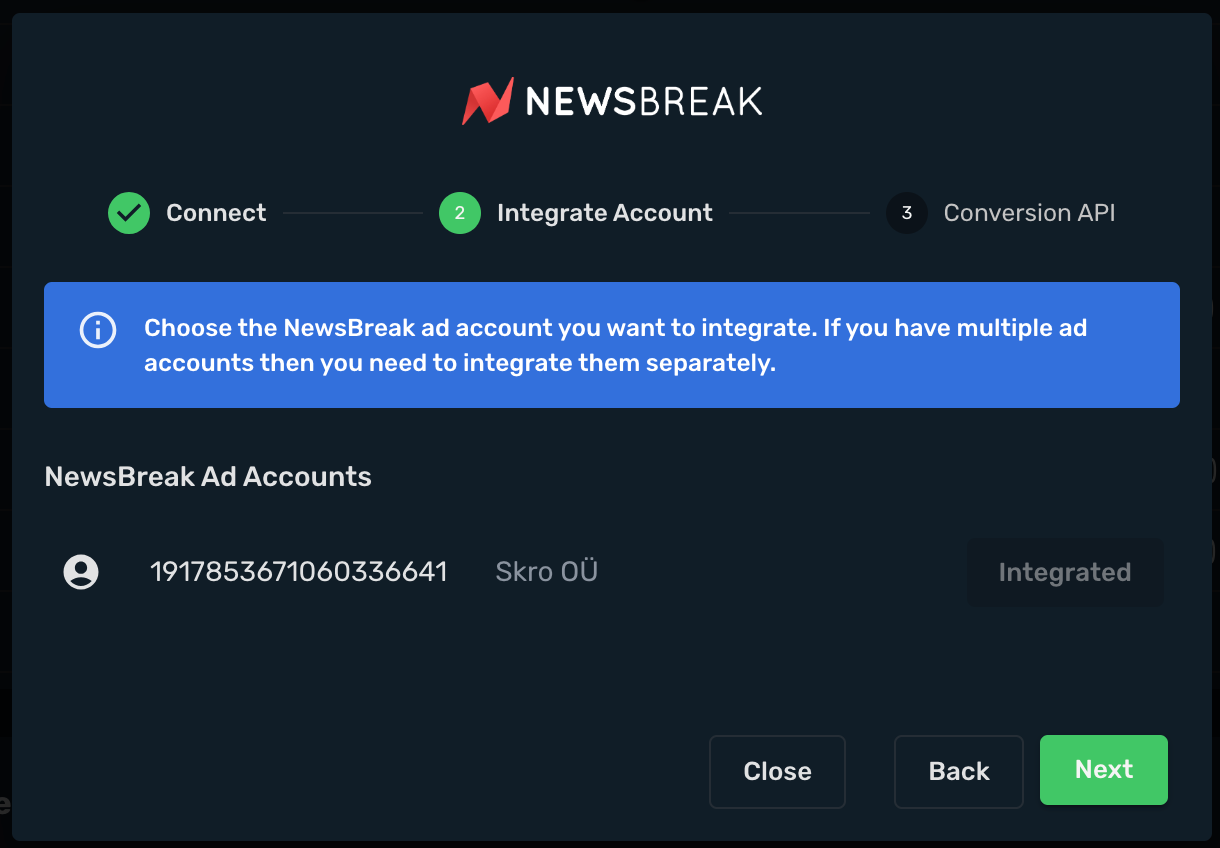
7. Click Next button.
8. Integrate your NewsBreak Ad Account.
9. Click Next button.
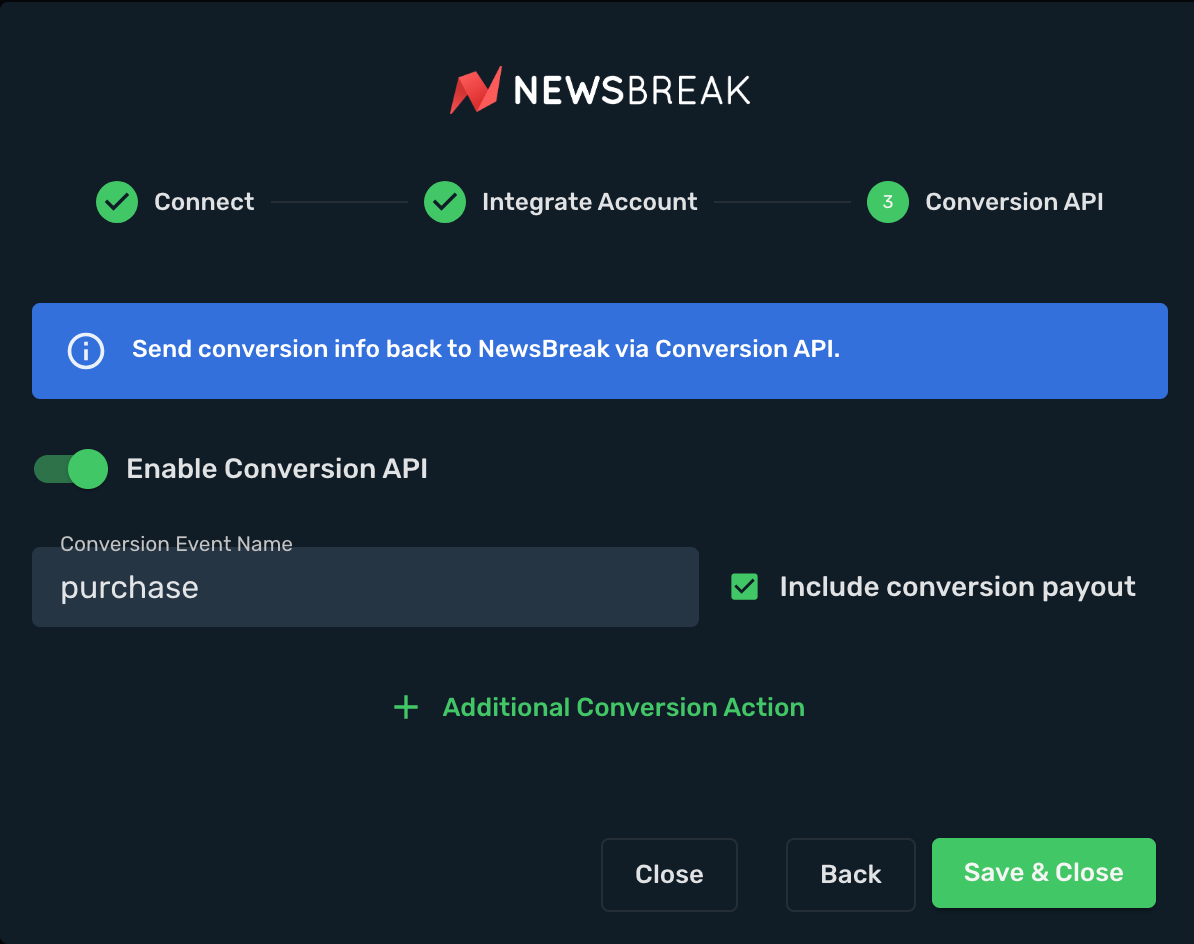
10. If you want to send conversions info back to NewsBreak, then you will need to enable Conversion API.
11. Conversion Event Name - must be the same as you typed in NewsBreak. When creating Skro campaign you will need to specify which conversion goal to send to.
12. Include Conversion Payout - If checked, we will send conversion revenue to NewsBreak.
13. Click on Click & Save button.
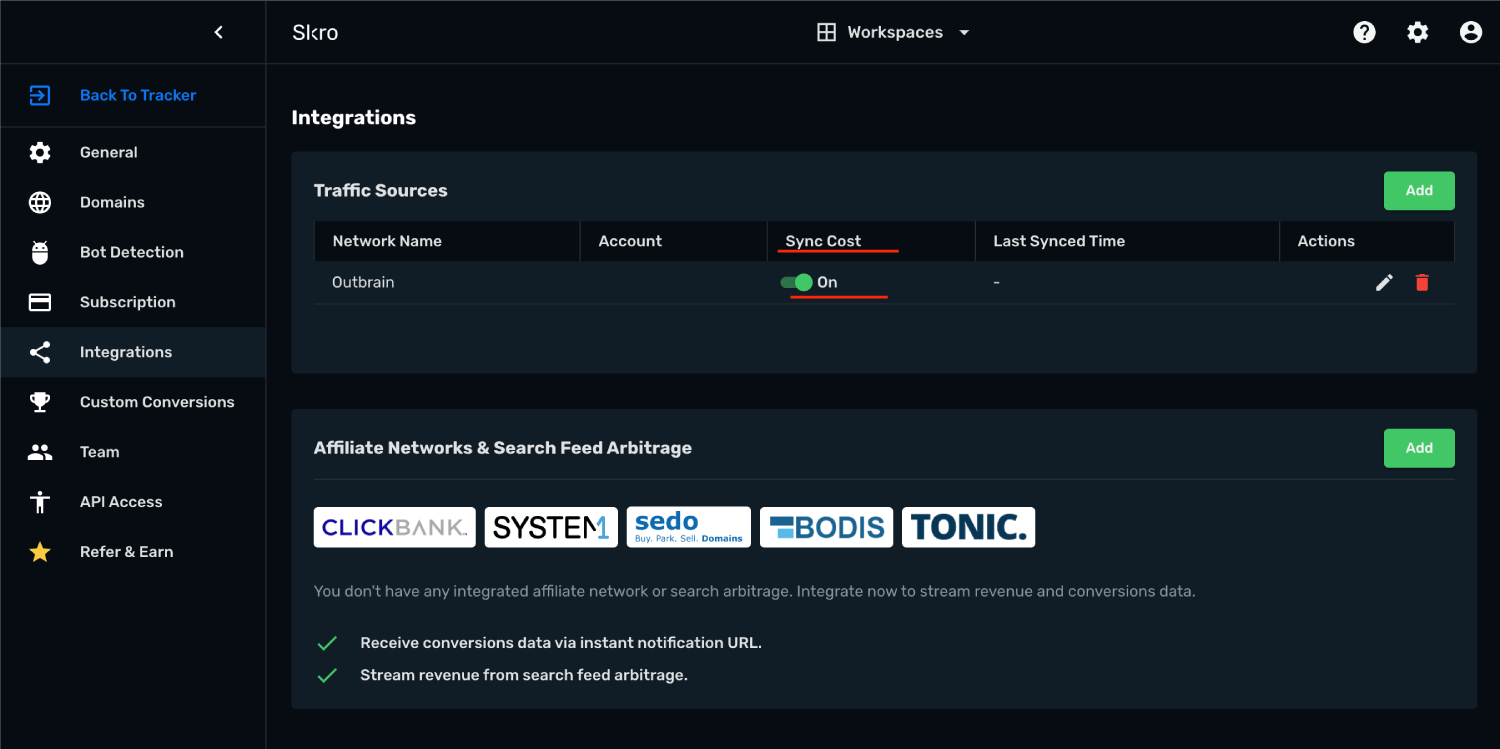
14. Your NewsBreak account is successfully integrated.
15. You can switch on/off cost sync with given switch button.
Step 3. Associate integration with traffic source
1. Go to Traffic Sources and click on Create button.
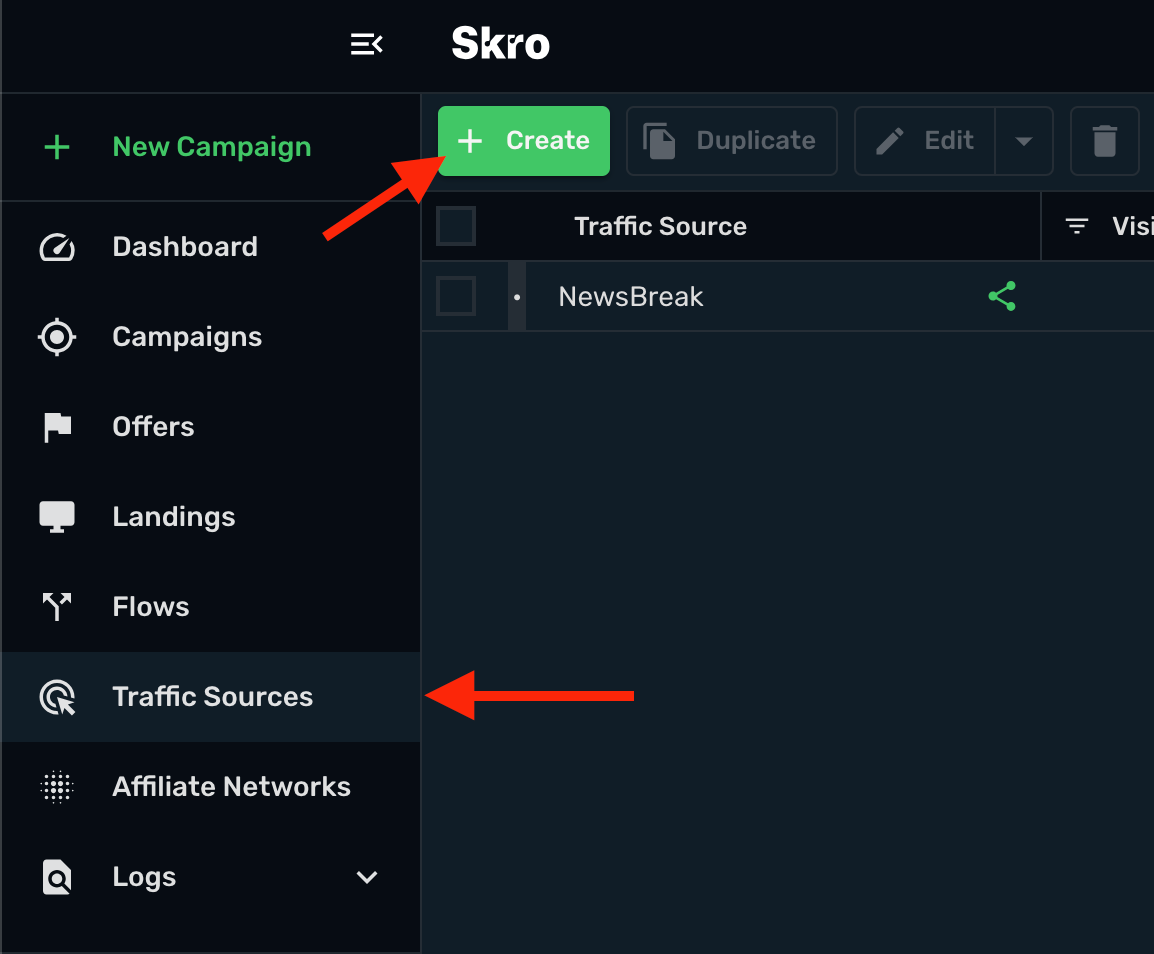
2. Click on NewsBreak logo.
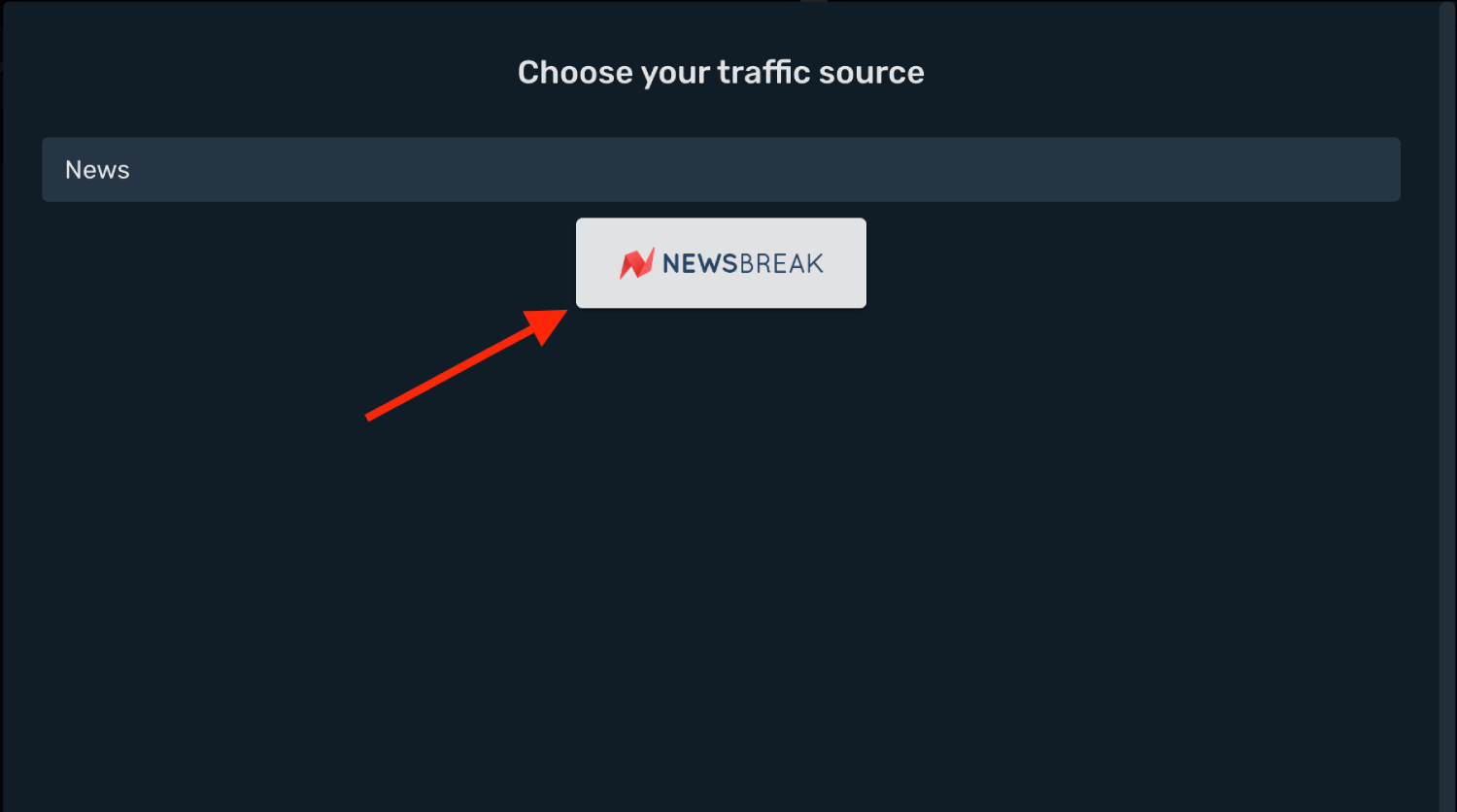
3. Postback URL is already pre-filled for you.
4. Select your NewsBReak integration from the dropdown menu.
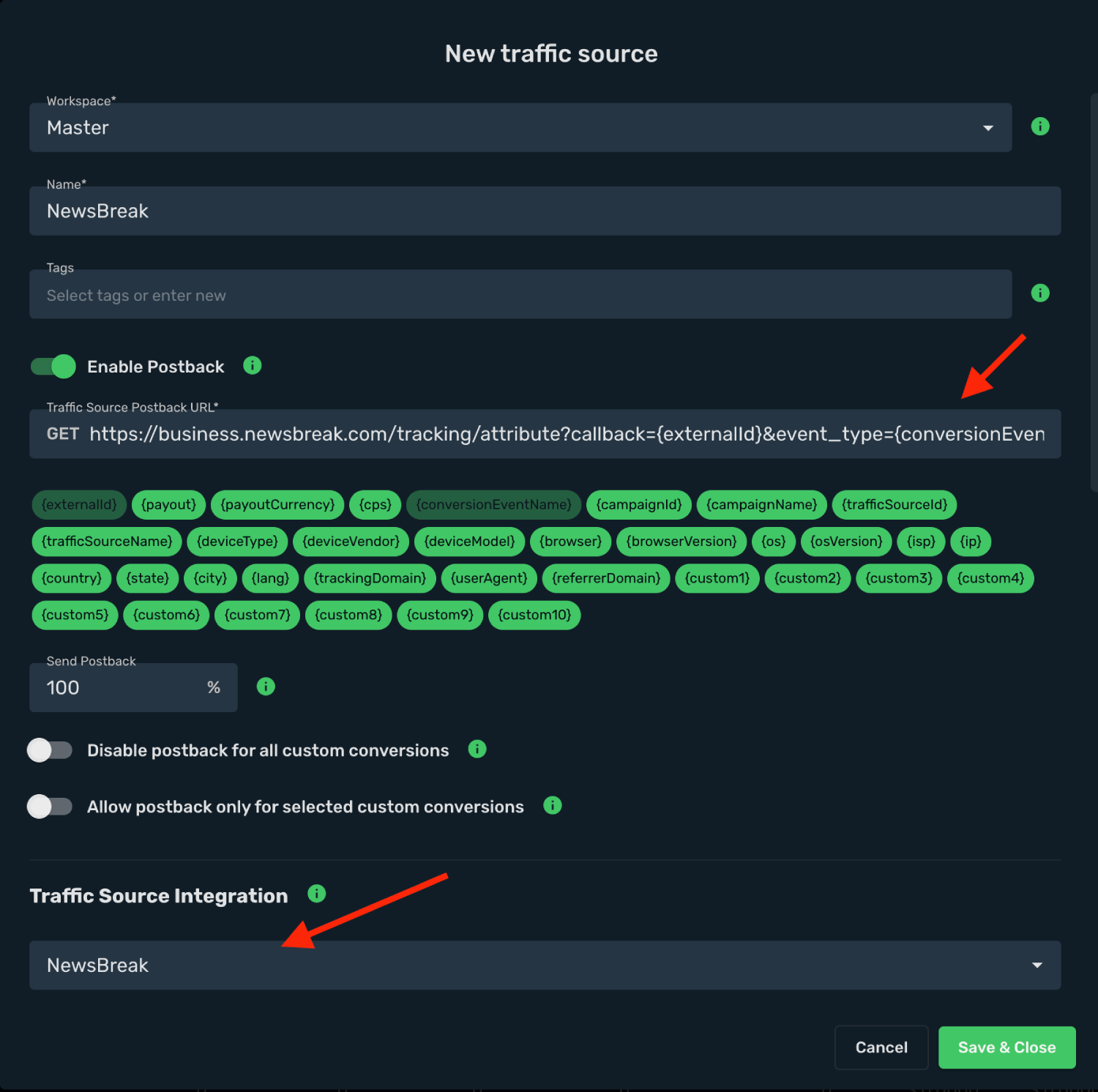
5. All parameters are already pre-filled for you. Event type has dynamic macro.
6. Click on Save & Close button.
7. Integration setup is done and your are ready to create your first campaign for NewsBreak.
Step 4. Create a Campaign in Skro
1. If your set up needs pre-lander then go to Landings view and click on Create button to add your landing page.
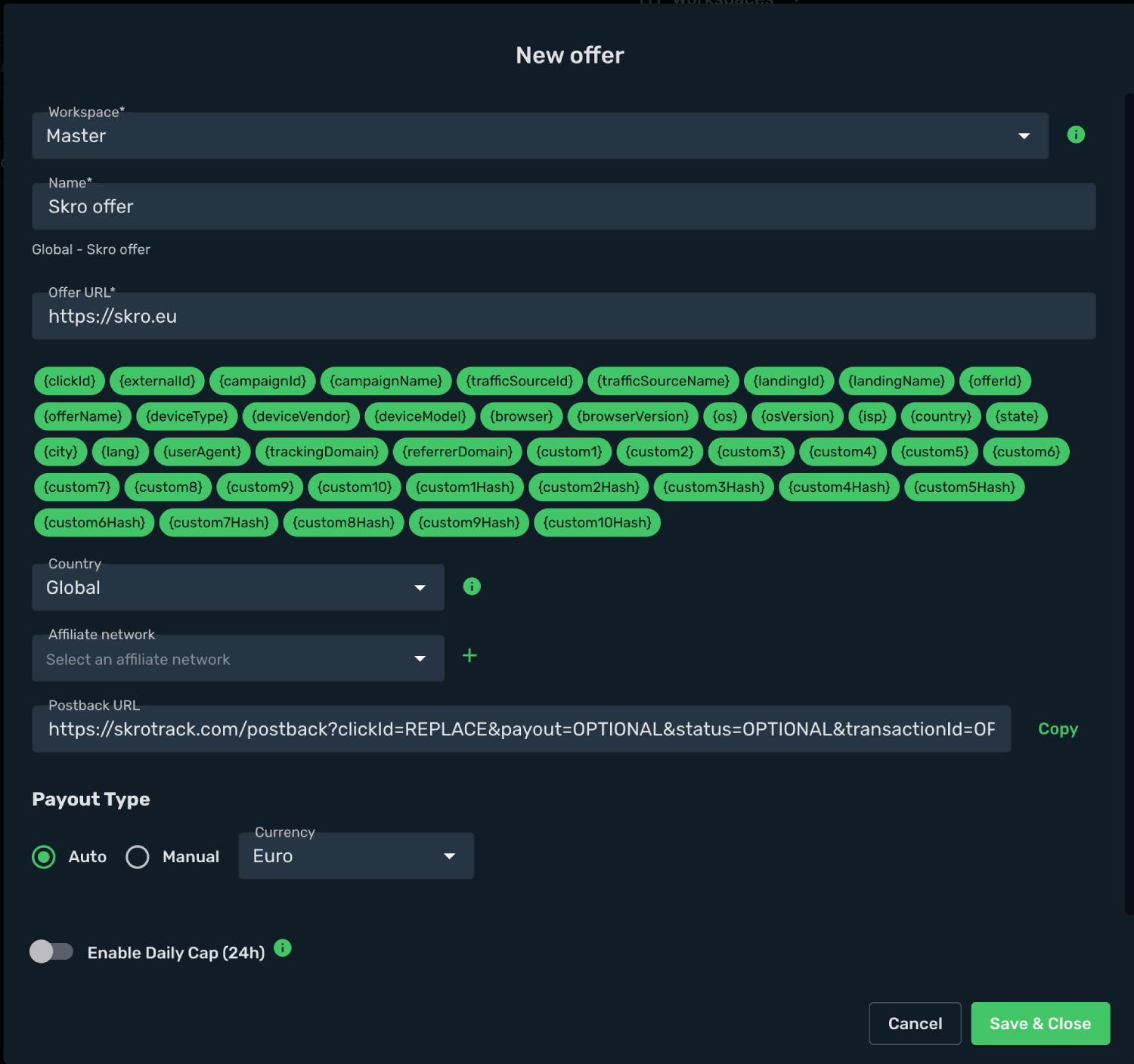
2. To add your offer link go to Offers view and click on Create button and add your offer.
4. Select workspace.
5. Add name.
6. Add your offer URL and add macros.
7. Click on Save & Close button.
8. Navigate to the Campaigns view and click on Create button.
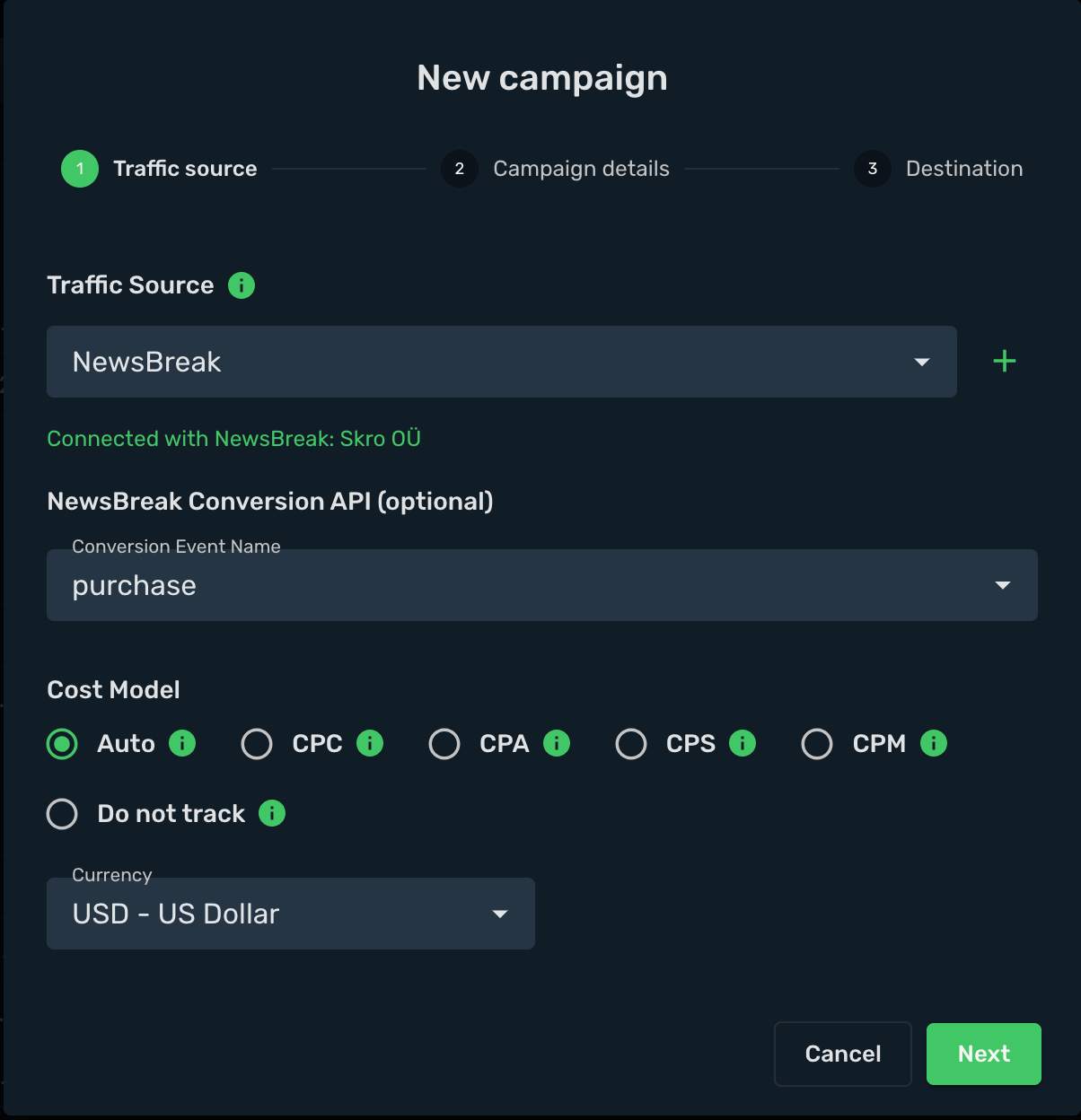
9. Select your integrated Traffic Source as NewsBreak.
10. Select your Conversion Event Name. That is needed to send conversion info back to NewsBreak.
11. Cost Model should be Auto.
12. Select your cost currency.
13. Click Next
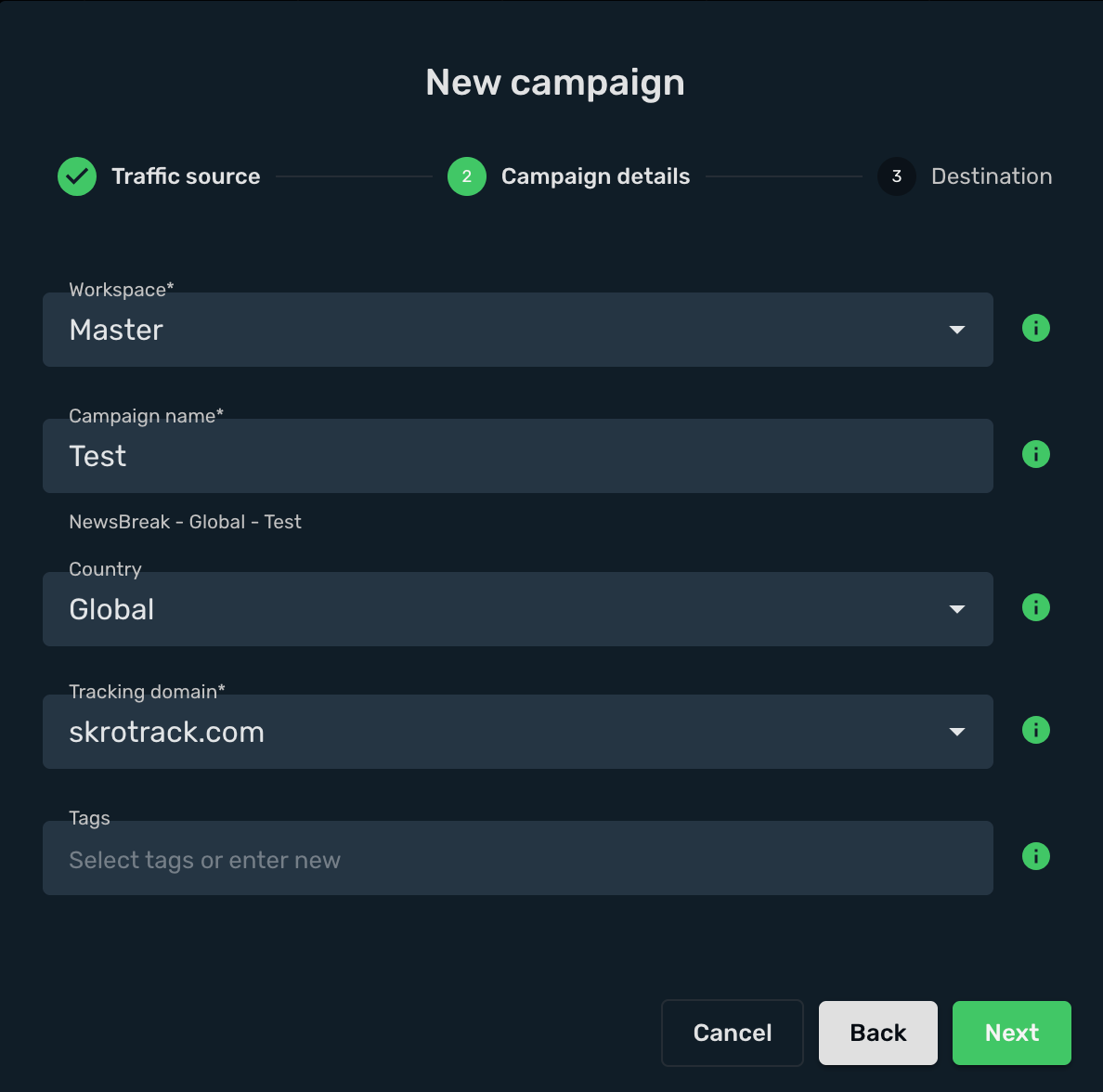
14. Select workspace.
15. Add descriptive name to your campaign.
16. Click Next
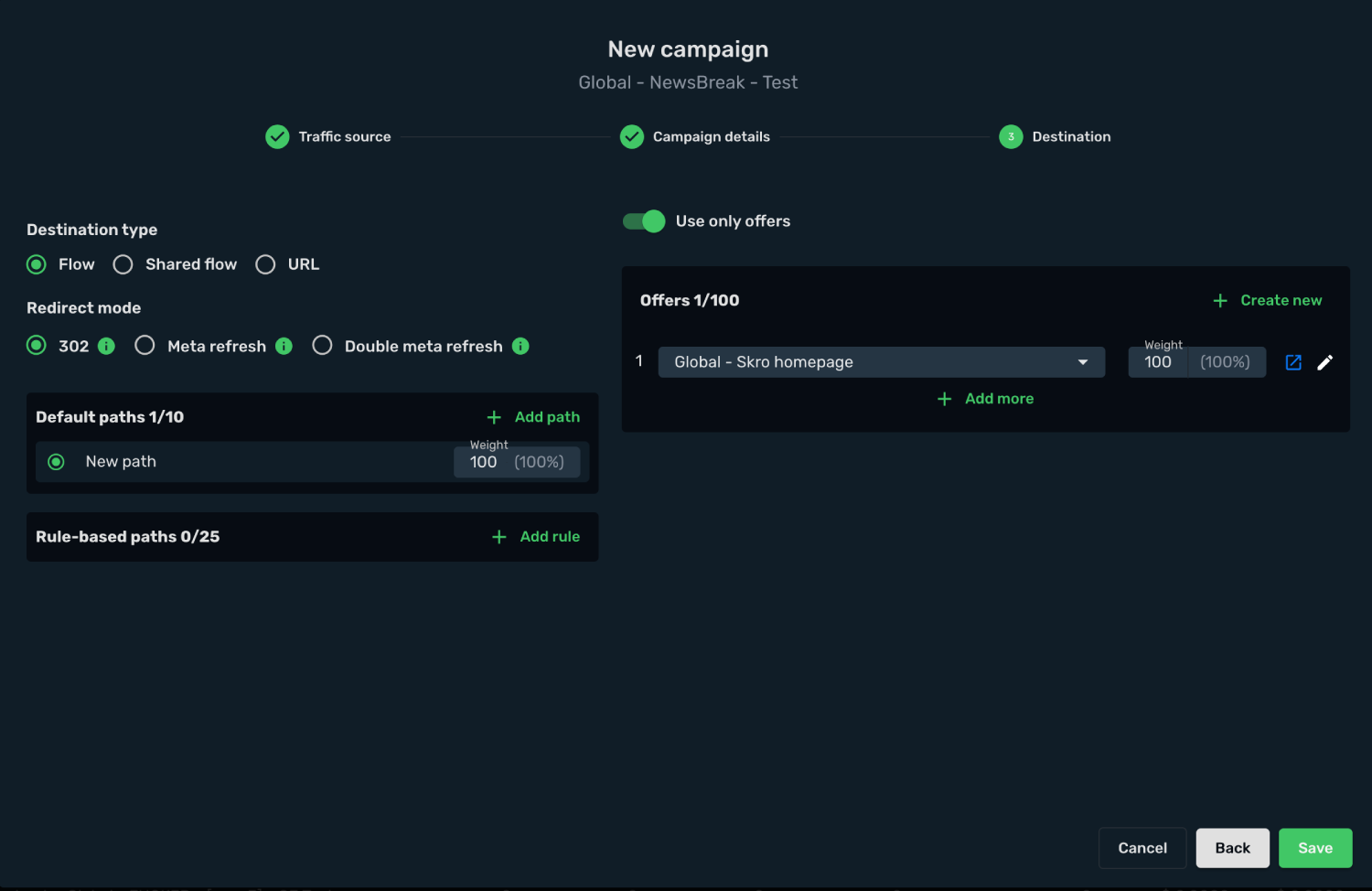
17. Choose your Destination Type. In this example we use flow.
18. Choose your redirect mode. In this example we use redirect 302.
19. Select your landings. In this example we use only offers.
20. Select your offers.
21. Click on Save button.
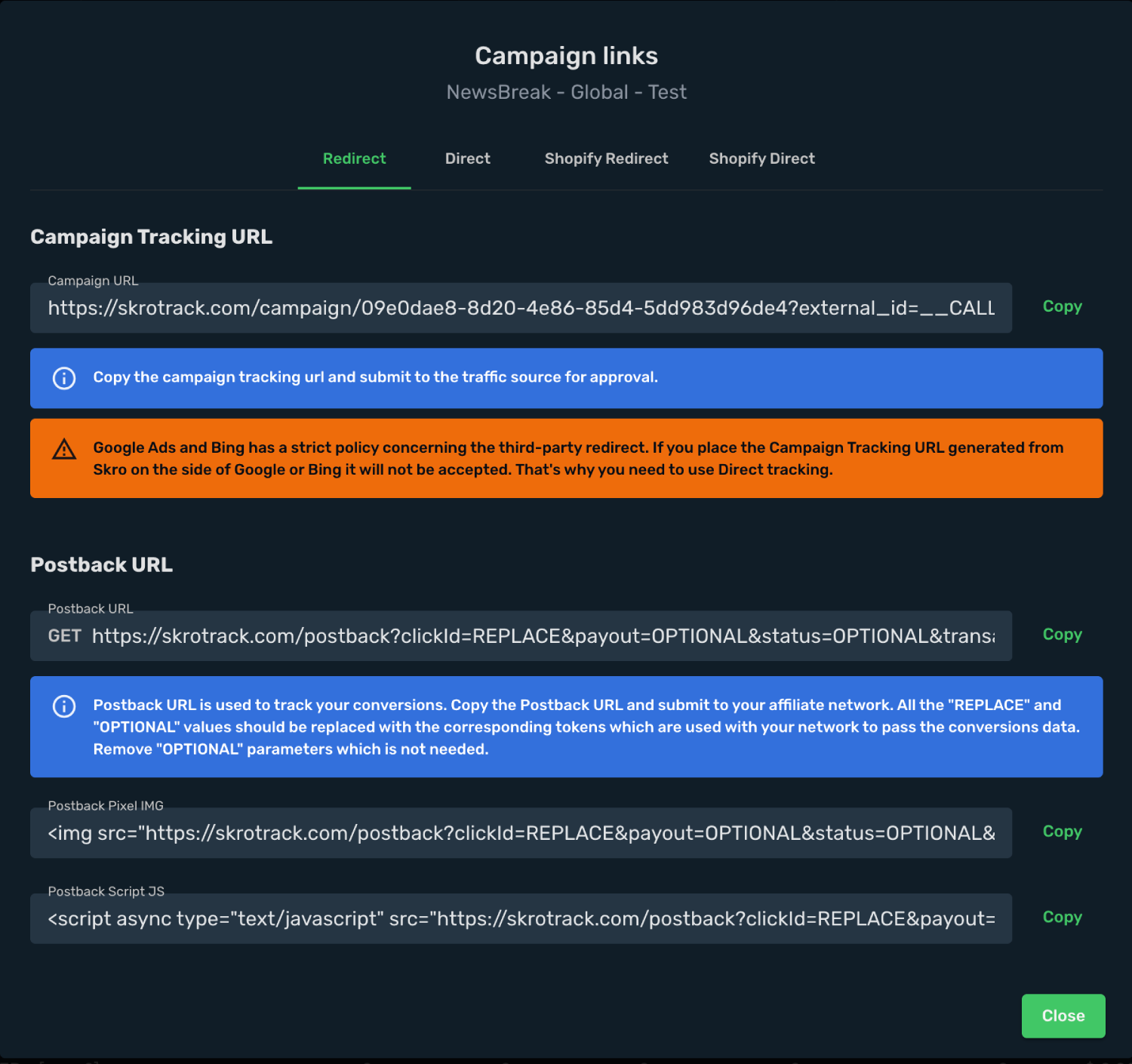
22. Choose Redirect tracking method.
23. Copy your Campaign Tracking URL to clipboard.
https://skrotrack.com/campaign/09e0dae8-8d20-4e86-85d4-5dd983d96de4?external_id=__CALLBACK_PARAM__&ad_id=__CREATIVE_ID__&adset_id=__FLIGHT_ID__&campaign_id=__CAMPAIGN_ID__&ad_name=__CREATIVE_NAME__&adset_name=__FLIGHT_NAME__&campaign_name=__CAMPAIGN_NAME__
Step 5. Create a Campaign in NewsBreak
Now you have your Campaign Tracking URL with tracking parameters added. In the next step you will submit it as your item's URL in NewsBreak campaign setup. In order to do that, perform the following steps:
1. Sign in to your NewsBreak account.
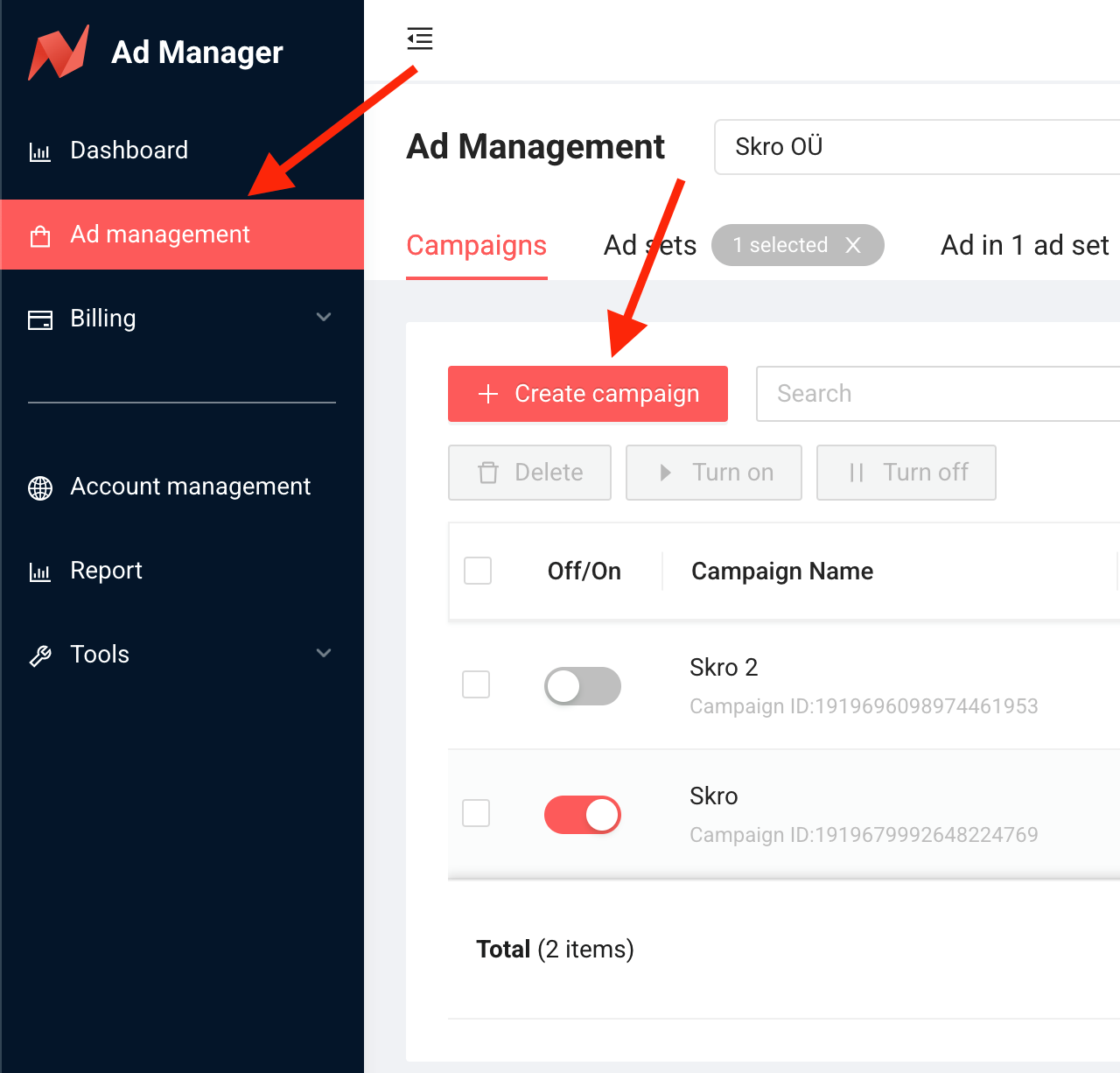
2. Go to Ad management view.
3. Click on + Create Campaign button and set up your campaign.
4. Add your campaign name and click Save and Next button.
5. Set up your Ad Set.
6. Set up your Ad.
7. Add Skro tracking link with params into Landing page URL field.
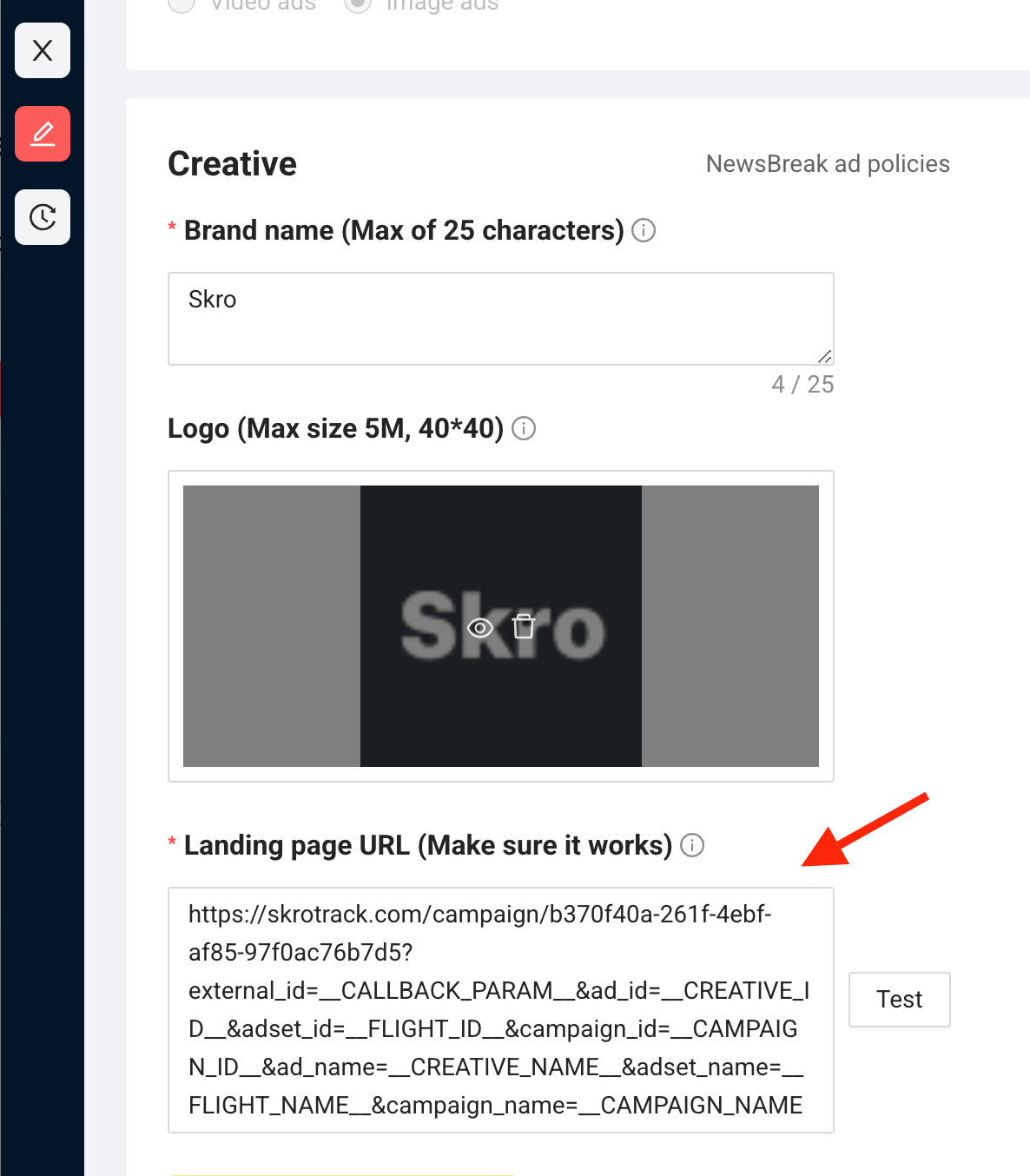
8. Click on Submit button when ever your are ready.
Congratulations, you have successfully set up tracking of NewsBreak traffic with Skro. Each time a visitor clicks on your ad, will be directed to your offer page with Skro's tracking parameters being passed.